Start with the flight number and travel date
Ask the passenger for the operating airline, flight number, destination airport and travel date. An itinerary can display a marketing codeshare number that is different from the operating flight number. When checking a public map, try the actual operating flight identifier and confirm the airport pair.
Do not share a booking reference or confirmation number with a public flight tracker. It belongs to the passenger reservation and does not help identify an aircraft position.
Use the tracker for position, not the meeting time
A moving map marker can show a position report and sometimes altitude or ground speed. It cannot by itself confirm that an arriving flight has reached the gate, that baggage is delivered or that the traveller is ready to leave the terminal. Use the airline or airport flight-status service to confirm the arrival status and terminal information.
If the map reports a position several minutes old, avoid projecting a precise landing time from the distance to the airport. A smooth animation can be an estimate between reports rather than a new observation.
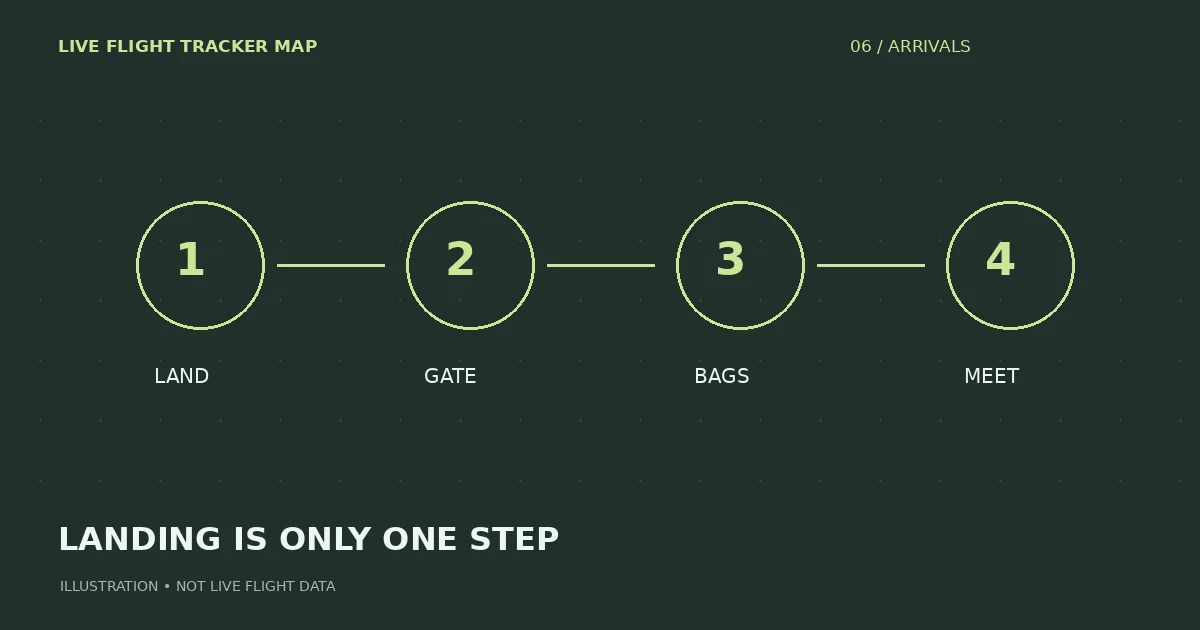
Separate landing, gate arrival and passenger exit
Touchdown is the moment the aircraft lands. It may still need to taxi, reach a stand and open its doors. The passenger might then pass immigration, collect checked baggage and walk to the meeting area. These steps can take very different amounts of time, depending on the airport and journey.
Instead of promising to arrive at touchdown, agree on a clear meeting point and ask the passenger to send a message when they are actually ready. Check parking and pickup-zone rules on the airport’s official site.
A diversion or missing marker needs verification
A missing marker does not automatically mean a diversion or emergency. Receiver gaps, filtering, altitude and network availability can all affect map coverage. Likewise, a heading change on a map is not proof of a confirmed diversion.
If travel plans are affected, verify the flight with the operating airline and airport. If the flight has been rerouted, confirm the new airport and updated pickup arrangements through official passenger-status information.
Five-step practical workflow
Before leaving: check the correct flight number and travel date, then the official status and terminal. While waiting: use the map as supplementary position context if data is available. When the airline marks the flight as arrived: do not assume the passenger is already outside. Wait for a direct message and use the airport’s permitted pickup location.
If official and map information disagree, prioritize the airline or airport for passenger decisions. Keep a copy of the agreed meeting location and avoid circulating anyone’s private itinerary details publicly.
Try a live flight search
Flight status by airline →How this guide is maintained
We review terminology against aviation and airline sources, test examples against the behavior of our own tracker, and separate position data from passenger-status claims. We do not invent a live status when a data source is missing. Corrections can be sent through the contact page.